Update · Meta Ads
A quiet Meta Ads change: Website Highlights no longer just shows your site, it now links away from it
Until now, Meta's Website Highlights showed a preview of your landing page inside the ad. Now it also adds links to other pages on your site, called Discovery Links. Some of your visitors will land on those pages instead of the campaign's target page. It is on by default, hidden collapsed on the first screen, and you have to check that every link is relevant.
Co-founded Fixel and ran it as CEO; Logiq acquired it in 2020. Head of specialization at Ono Academic College.
The key points
- What's new
- Until now Website Highlights only showed a preview of your site. Now it also adds links to other pages (Discovery Links), and it is on by default.
- Where it hides
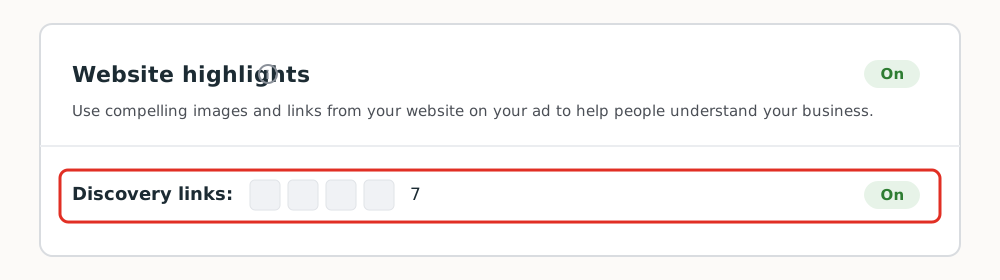
- On the first screen of ad creation (Creative setup), collapsed under "Website highlights" with a small "On" tag. Easy to scroll past.
- The risk
- On a campaign built for a specific landing page, some of the traffic can drift to pages unrelated to what you advertised.
- What to do
- Open it, go through the links one by one, and make sure each is relevant to the campaign. Turn off the ones that are not.
What happened: Website Highlights now links away from your site
Website Highlights is a Meta feature that has been around for a while. Until now it did one thing: it showed a preview of your landing page inside the ad so the ad looked richer. What changed is that it now also adds link options, Discovery Links, that point to other pages on your site. So alongside the target page you chose, the ad can offer the visitor more pages. And it is on by default.
 Tap to enlarge
 Where it hides
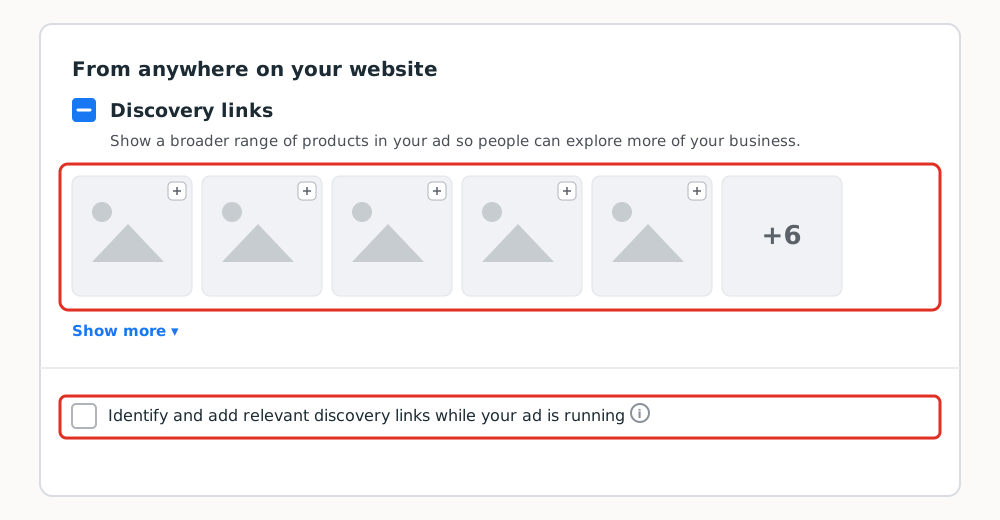
The setting sits on the first screen of ad creation, collapsed under "Website highlights". You have to open it, then open "Discovery links", just to see which pages Meta picked. There is also a checkbox, "Identify and add relevant discovery links while your ad is running", that keeps adding new links after the ad is live. This showed up in my account for the first time now.
 Tap to enlarge
 Why it matters: you are paying to land visitors on one page
On a campaign built for a specific landing page, you are paying to get the visitor exactly there. Discovery Links can send some of them to other pages you did not build for this campaign. This particular change has had almost no coverage, which is why it is easy to miss. I ran into it in the account myself, with no heads-up.
What to do: turn off the irrelevant links
Open Creative setup, go into Website highlights, and review the links Discovery Links added, one by one. Turn off any link that does not lead to a page relevant to the campaign. Turn off the checkbox that adds links while the ad runs too, or the system keeps adding new pages without you seeing them.
Two things that are easy to miss: it is on by default on every new ad, and it also switches on when you duplicate an older ad that never had it. Even if your previous ad was clean, the duplicate is not necessarily. I saw the exact same behavior with a catalog that switches itself on when you duplicate an ad.
A lot of campaign managers click Next all the way through and look only at the creative. Meta's defaults change without notice, so you have to go through every section on every ad, including when you duplicate something that worked before. It is the same broader trend behind Meta taking placement control away from advertisers.
Questions and answers
What changed in Meta's Website Highlights?
What are Discovery Links in Meta ads?
Is Discovery Links on by default, including on duplicated ads?
How do you check and turn off Discovery Links?
Why can Discovery Links hurt a campaign built for one landing page?

Cite as: Etgar Shpivak, "A quiet Meta Ads change: Website Highlights no longer just shows your site, it now links away from it", shpivak.co.il, 26 August 2026. https://shpivak.co.il/writing/facebook-discovery-links-default-on
Get the next episode by email. One email for each new episode of Founders' Marketing Compass, with the conversation, its chapters and the key takeaways, and nothing in between. Subscribe on Substack